

About OpenScan
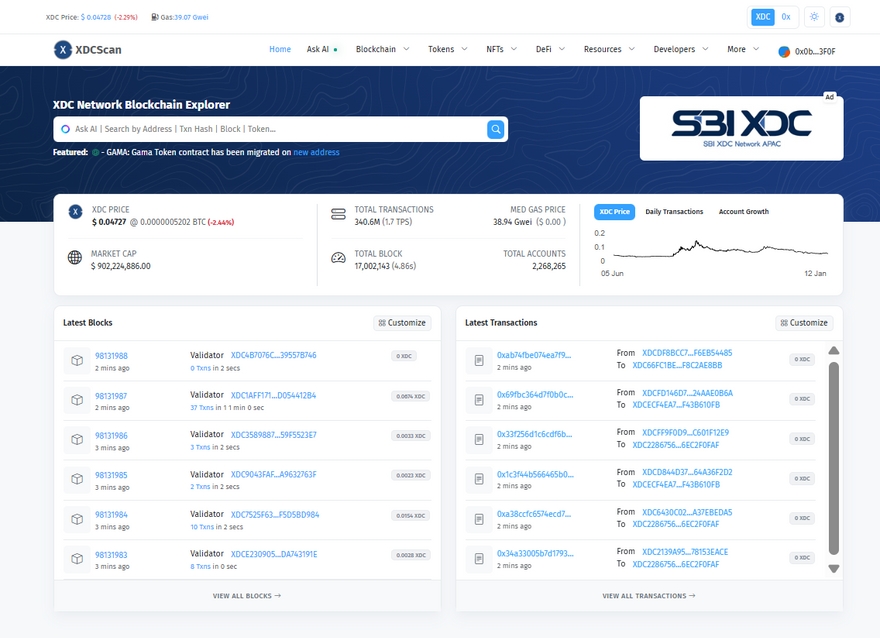
OpenScan is a powerful and user-friendly blockchain explorer built for the XDC Network. It goes beyond just viewing blocks and transactions by offering tools that help users and developers interact with the network more easily.
Our mission is to simplify Web3 adoption by reducing technical barriers. With that goal in mind, we’ve introduced a new feature in OpenScan — Token Deployment directly from the explorer.
In this article, we’ll:
- Briefly understand what tokens are
- Look at common token types
- Touch on traditional deployment tools
- Explore how OpenScan makes token deployment simple for everyone.
What Are Tokens?
Tokens are digital assets created using smart contracts on a blockchain. They can represent value, ownership, access, or functionality within an application.
Common Token Types
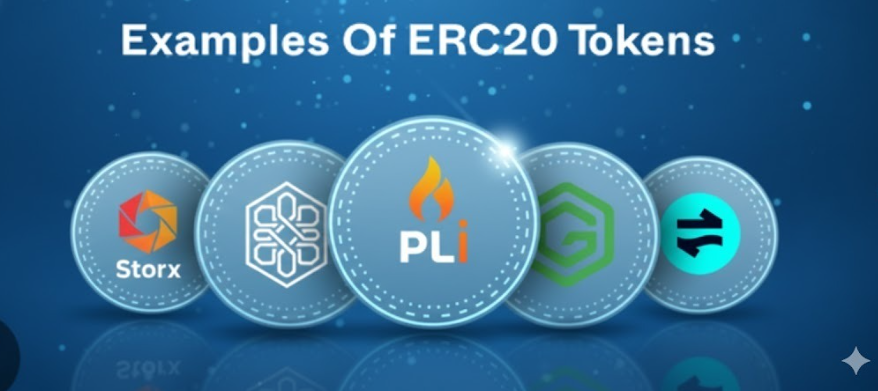
- ERC-20 Tokens
Fungible tokens where each unit is identical. Commonly used for utility tokens, governance tokens, and payments.
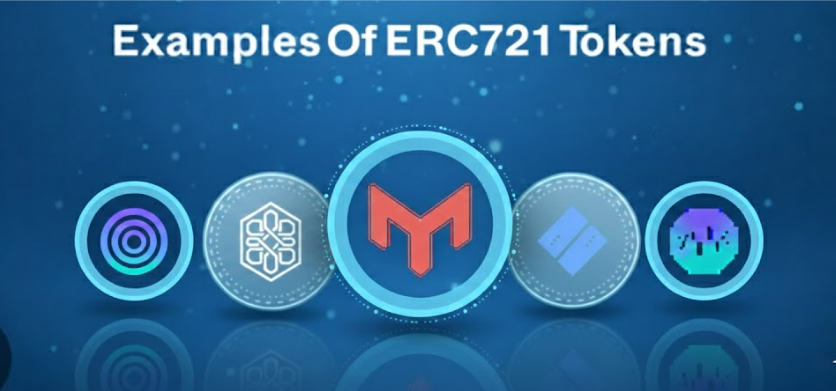
- ERC-721 Tokens (NFTs)
Non-fungible tokens where each token is unique. Used for digital art, collectibles, certificates, and identity-based assets.
Both ERC-20 and ERC-721 tokens play a major role in the Web3 ecosystem and are widely adopted on the XDC Network.
Traditional Token Deployment
Traditionally, deploying tokens requires technical tooling and development knowledge. Popular frameworks include:
- Hardhat
- Truffle
These tools require setting up a development environment, writing smart contracts, configuring networks, and running deployment scripts. While powerful, they can be time-consuming and complex—especially for beginners or quick use cases.
Introducing Token Deployment via OpenScan Explorer ✨
To make token creation accessible to everyone, OpenScan now allows users to deploy tokens directly from the explorer UI—without writing or deploying contracts manually.
What You Can Deploy
- ✅ ERC-20 tokens
- ✅ ERC-721 tokens (NFTs)
All deployments use secure, standard smart contract implementations, ensuring reliability and compatibility across the ecosystem.
How Token Deployment Works on OpenScan
Deploying a token using OpenScan is designed to be simple, secure, and intuitive. Follow the steps below to launch your ERC-20 or ERC-721 token on the XDC Network in just a few minutes.
Step 1: Open the Token Deployer
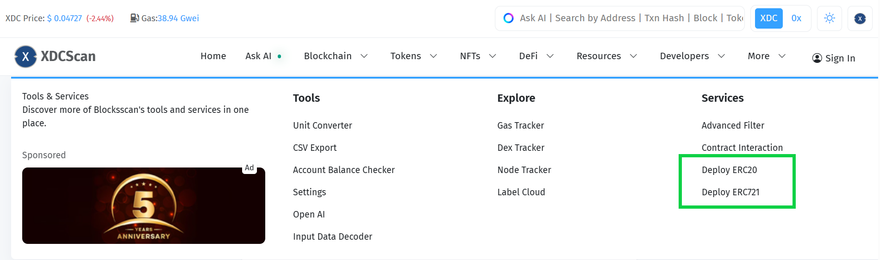
Open the OpenScan Explorer and navigate to the Token Deployer using the top navigation bar.
- Click on More in the navbar
Select Deploy ERC-20 or Deploy ERC-721
You’ll be redirected to the respective deployment pages:ERC-20 Token Deployer: https://xdcscan.io/deploy-erc20
ERC-721 NFT Deployer: https://xdcscan.io/deploy-erc721
No external tools, local setup, or frameworks are required.
Step 2: Connect Wallet & Signature Verification
Click on Connect Wallet and choose a wallet that supports the XDC Network.
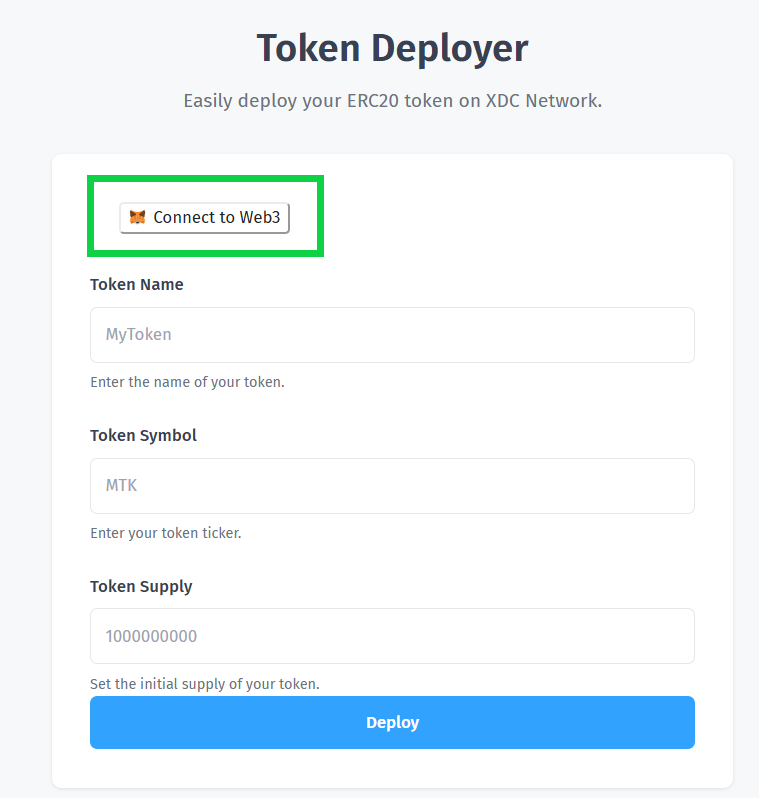
- OpenScan will prompt you to sign a message
- This signature is only for wallet verification
- No transaction is sent
- No funds are transferred
Once signed:
- OpenScan verifies wallet ownership
- Your address is authenticated
- You are authorized to deploy token contracts
This ensures a secure and trusted deployment experience.
ERC-20 Token Deployment Steps
Step 3 (ERC-20): Enter Token Details
Fill in the ERC-20 token configuration form:
- Token Name
The full name of your token
(e.g., TestToken, OpenScanToken)
- Token Symbol
A short ticker for your token
(e.g., TEST, OST)
- Token Supply
The total initial supply to be minted
(All tokens will be minted to the deployer’s wallet)
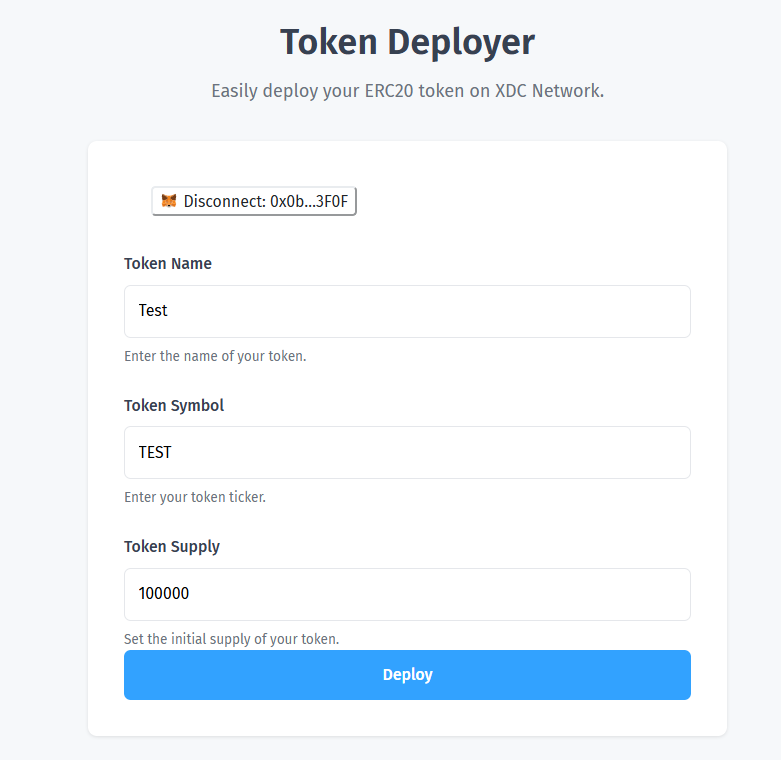
Step 4 (ERC-20): Deploy Token
- Review all entered details carefully
- Click Deploy
- Your wallet will prompt you to confirm the transaction
- Approve the transaction to deploy your ERC-20 token on the XDC Network
ERC-721 NFT Collection Deployment Steps
Step 3 (ERC-721): Enter Collection Details
Fill in the NFT collection configuration form:
- Collection Name
The name of your NFT collection
(e.g., Test Collection)
- Collection Symbol
A short identifier for your collection
(e.g., TEST)
- Metadata Extension
Select the file extension used for metadata
(e.g., .json)
- Metadata URI
Base URI where NFT metadata is hosted
(e.g., ipfs:///)
- Collection Size
Total number of NFTs in the collection
Ensure metadata and URI details are correct, as they will be permanently stored on-chain.
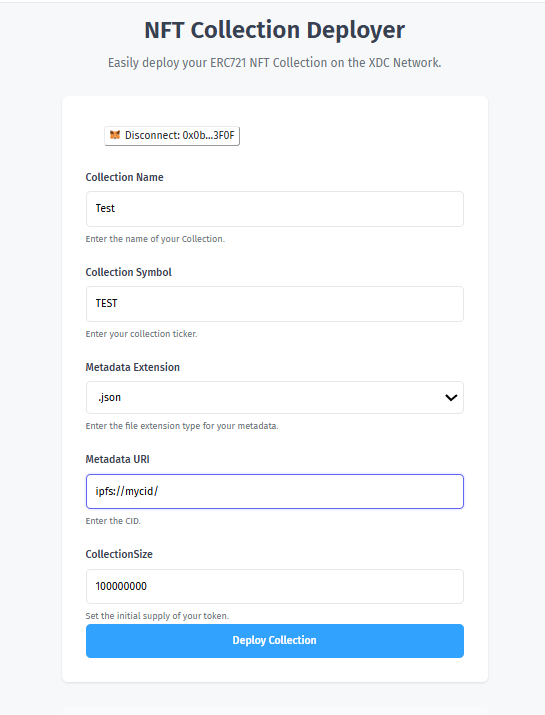
Step 4 (ERC-721): Deploy Collection
- Review all collection details
- Click Deploy Collection
- Confirm the transaction in your wallet
- Approve to deploy your ERC-721 NFT collection on the XDC Network
Step 5: Track Your Deployment
Once the transaction is confirmed:
- Your token or NFT contract is successfully deployed
- The deployment transaction appears instantly on OpenScan
-
You can view:
- Contract address
- Token or collection details
- Transaction history
- On-chain activity in real time
That’s It — Your Token Is Live 🎉
With OpenScan, token deployment becomes a seamless experience:
- No coding
- No local environments
- No complex tooling
Just connect, configure, and deploy.
Your token is deployed on-chain, and the transaction can be tracked instantly within OpenScan.
No local setup.
No complex tooling.
No command-line interaction.
Why Use OpenScan for Token Deployment?
- 🚀 No coding required
- 🔒 Uses trusted, standard implementations
- ⚡ Fast and beginner-friendly
- 🌐 Integrated directly into the explorer
- 🧩 Perfect for experiments, projects, and real-world use
Whether you’re a developer, creator, or someone new to Web3, OpenScan removes the friction from token creation.
Conclusion
Token deployment doesn’t need to be complicated.
While tools like Hardhat and Truffle remain important for advanced development workflows, OpenScan’s explorer-based deployment feature opens the door for faster, simpler, and more accessible token creation on the XDC Network.
With support for both ERC-20 and ERC-721 tokens, OpenScan continues to evolve beyond a traditional explorer—becoming a complete gateway to building on XDC.
Start deploying your tokens today and experience Web3 the easy way with OpenScan 🌍🚀
Follow us for more such content





Discussion (0)